






Microsoft Activation Scripts(简称MAS),具备HWID/KMS38/在线KMS激活Microsoft。Microsoft Activation Scripts最大特点是代码开源,小巧不误报。三种激活方式分别是 :HWID数字许可证永久激活、KMS38激活至2038年、在线KMS激活180天,支持Windows、Office所有版本激活。欢迎有需要的朋友下载使用!
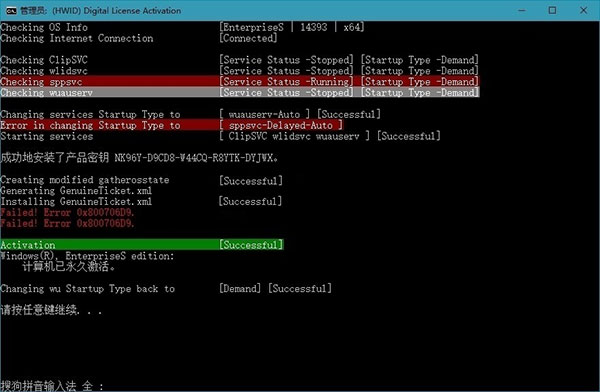
 3、等待程序提示激活成功,按任意键退出即可。
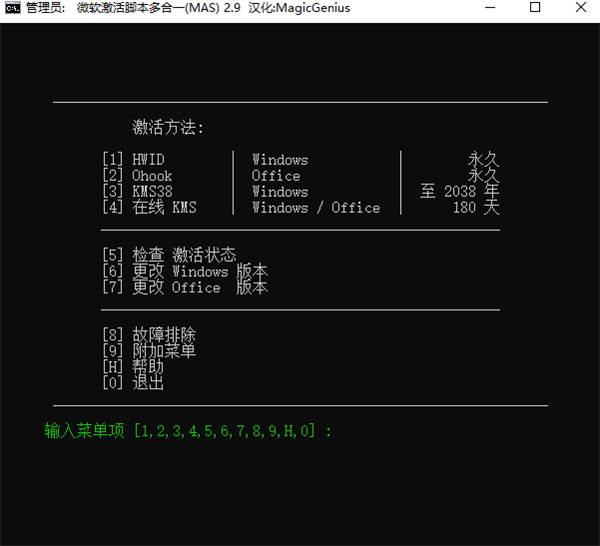
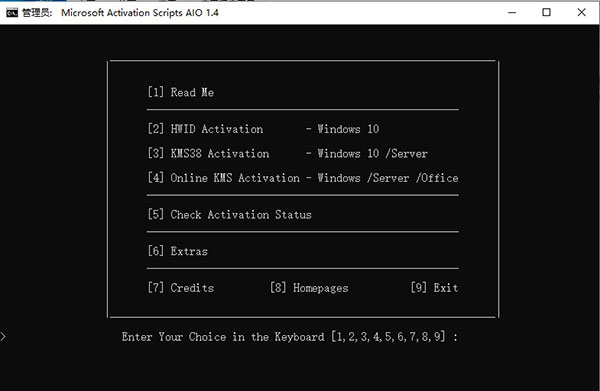
MAS支持的激活方式:
HWID– Windows 10(本地数字许可证永久激活) KMS38– Windows 10 / Windows Server(KMS模式激活2038年) Online KMS– Windows / Server / Office(在线激活180天,可选续期)支持的激活产品:
Digital License(HWID) / KMS38: • Windows 10 Core (N) (Digital License/KMS38) • Windows 10 CoreCountrySpecific (Digital License/KMS38) • Windows 10 CoreSingleLanguage (Digital License/KMS38) • Windows 10 Education (N) (Digital License/KMS38) • Windows 10 Enterprise (N) (Digital License/KMS38) • Windows 10 EnterpriseS (N) (LTSB 2015) (Digital License) • Windows 10 EnterpriseS (N) (LTSB 2016) (Digital License/KMS38) • Windows 10 EnterpriseS (N) (LTSC 2019) (Digital License/KMS38) • Windows 10 Professional (N) (Digital License/KMS38) • Windows 10 ProfessionalEducation (N) (Digital License/KMS38) • Windows 10 ProfessionalWorkstation (N) (Digital License/KMS38) • Windows 10 ServerStandard (Core) (KMS38) • Windows 10 ServerDatacenter (Core) (KMS38) • Windows 10 ServerSolution (Core) (KMS38) Online KMS: • Windows 7 (Pro/Enterprise/Embedded) • Windows 8/8.1/10 • Windows Server 2008R2/2012/2012R2/2016/2019 • Microsoft Office (VL) 2010/2013/2016/2019MAS激活工具使用教程
1、下载软件压缩包文件,首先解压到本地 注意:Microsoft Activation Scripts一般会出现风险提示,请放行~ 2、以管理员身份运行MAS激活工具,选择需要使用的功能,对应序号即可
3、等待程序提示激活成功,按任意键退出即可。
更新日志
v3.6版本
特斯福尔克
修复了IoT ESU许可证在IoT Enterprise版本中不起作用的问题(来自Microsoft的错误)。脚本将使用客户端ESU许可证。
更改Office版本
从更改更新频道选项中删除了不推荐使用的半年度预览频道。
在线KMS
该脚本将不再自动将IoTEnterprise版本更改为Enterprise以激活KMS。